
What Is a CAD File? Laser and CNC Files
 By Hersh Glueck
A CAD file is a drawing made in computer-aided design (CAD) software that stores exact lines and measurements, so a machine can follow them. For a board game, it is the outline a laser follows to cut a wooden meeple, the shape a knife is made to, or the model a CNC machine carves into a steel mould. What is a CAD file in one line? A drawing a machine can read. This guide explains the file types, how the machines use them, and when a simple Illustrator or SVG outline is enough and when you need a proper CAD file.
Check Out Our Free Resource: CAD Files Example
A one-page example of a CAD drawing for custom-shaped pieces, with every dimension marked.
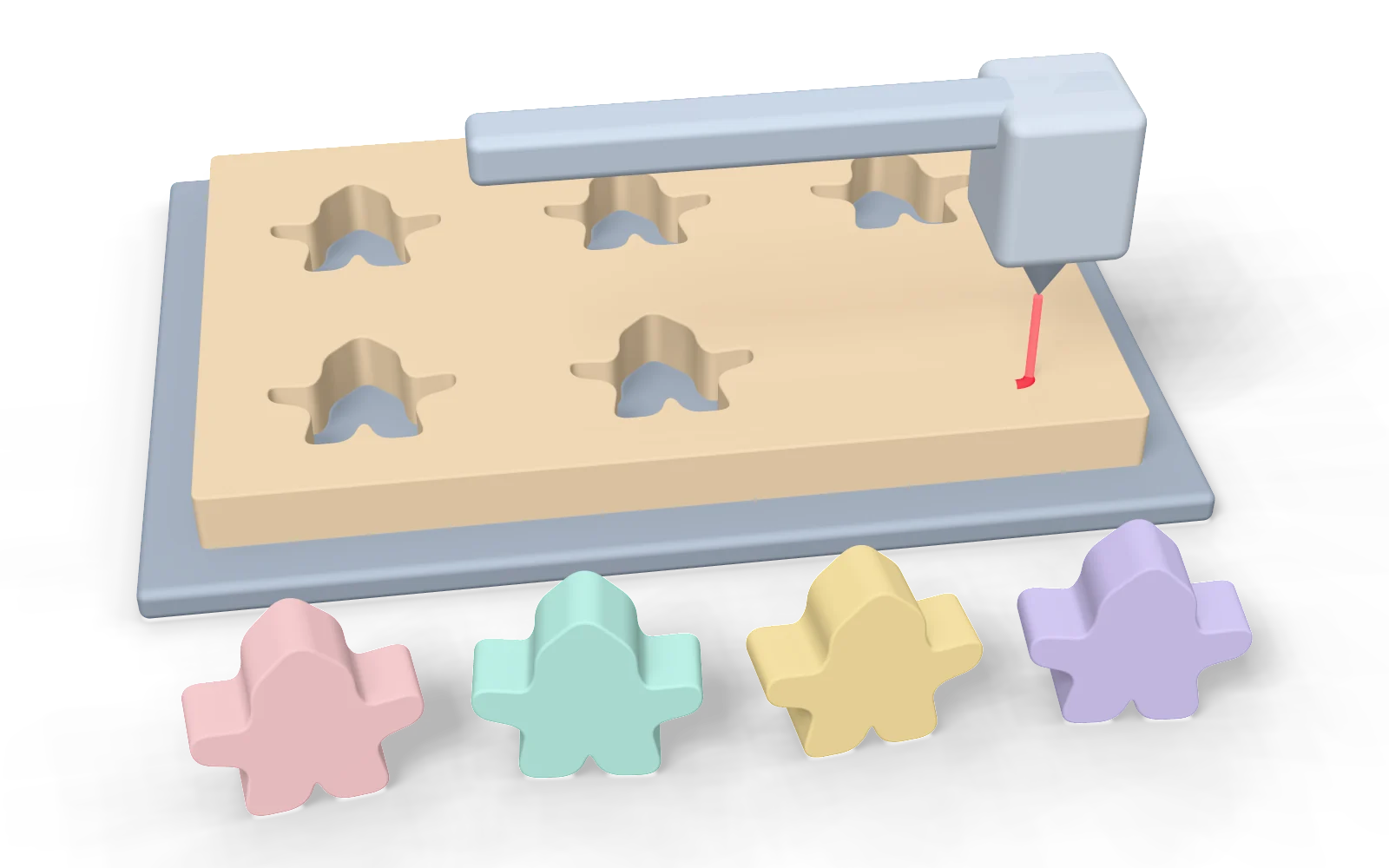
A Cutting File Is Lines, Not Pixels
A machine can only follow a line, so a cutting file must be a vector drawing. Vector files store shapes as lines and curves defined by maths; they stay exact at any size. Raster files, such as JPEG and PNG, store a grid of coloured pixels, and a machine cannot find a clean edge in them. That is why an outline in Adobe Illustrator (AI) or SVG must be drawn as a vector path, never as an imported JPEG or PNG.
CAD File Formats
The CAD file format depends on the program that made it, and a factory can read the common ones. A laser cutting file and a CNC file are both vector files; the difference is whether the shape is flat or 3D.
| Format | What it is | Use it for |
|---|---|---|
| DWG | AutoCAD's own drawing | Flat cut lines |
| DXF | CAD exchange file, read by most software | Flat cut lines |
| AI | Adobe Illustrator file | Flat cut lines |
| SVG | Open vector file (Illustrator, Inkscape) | Flat cut lines |
| STEP (STP) | 3D CAD model of exact surfaces | 3D wood, plastic moulds |
DXF vs SVG: both work as a laser cut file format for flat pieces. DXF comes from CAD programs and keeps real units and layers, which engineers prefer. SVG comes from design programs and is easier for artists. Either is fine if the lines are vectors at the real size in millimetres. 3D files are covered in STL vs STEP.
How the Machines Use the File
Each machine reads the lines in a different way, and that decides which file it needs.
- Laser cutter: the software reads each closed line, and the laser head moves along it, burning through the board. Flat wooden pieces are laser-cut from MDF up to 7 to 8 mm thick and plywood up to 10 mm. The same machine can engrave: it burns a filled shape into the surface instead of cutting through. Pine is not laser-cut, because the laser burns it.
- Knife cutting: thicker and 3D wooden pieces are cut from solid wood bars with custom knives. The knife is made to the shape in the file, about 300 to 400 USD a knife, so the file must be exact before it is made.
- CNC machine: a computer numerical control (CNC) machine reads a STEP or CAD file and carves the shape into steel, to make the mould for a plastic piece. A CNC mould takes about 40 days to make and test.
- Die cutting: tokens and standees are punched by a die made to the cut lines in your artwork file, so those lines must be vectors too.
When an AI or SVG File Is Enough
For flat pieces, an Illustrator or SVG outline is enough. Our default file is CAD, but for these pieces we accept AI or SVG, as long as the outline is a vector and drawn at the actual piece size:
- wooden meeples and other flat wooden silhouettes up to 10 mm thick;
- wooden discs and flat tokens;
- acrylic standees and pieces, which are cut by laser or router;
- the cut lines of token sheets and standees.
Our artwork team can help you prepare meeple files during setup. The design rules for meeples are in our guide to wooden game pieces, and the cut lines of tokens in board game tokens.
When You Need a Real CAD File
A real CAD file is needed when the piece is thick, 3D or made from a mould. For these pieces send a CAD drawing and a STEP file:
- wooden pieces thicker than 10 mm, which move from the laser to knife cutting;
- 3D wooden shapes, even simple ones such as a star or a heart, and custom pawns;
- any plastic piece, because its mould is carved from the 3D model.
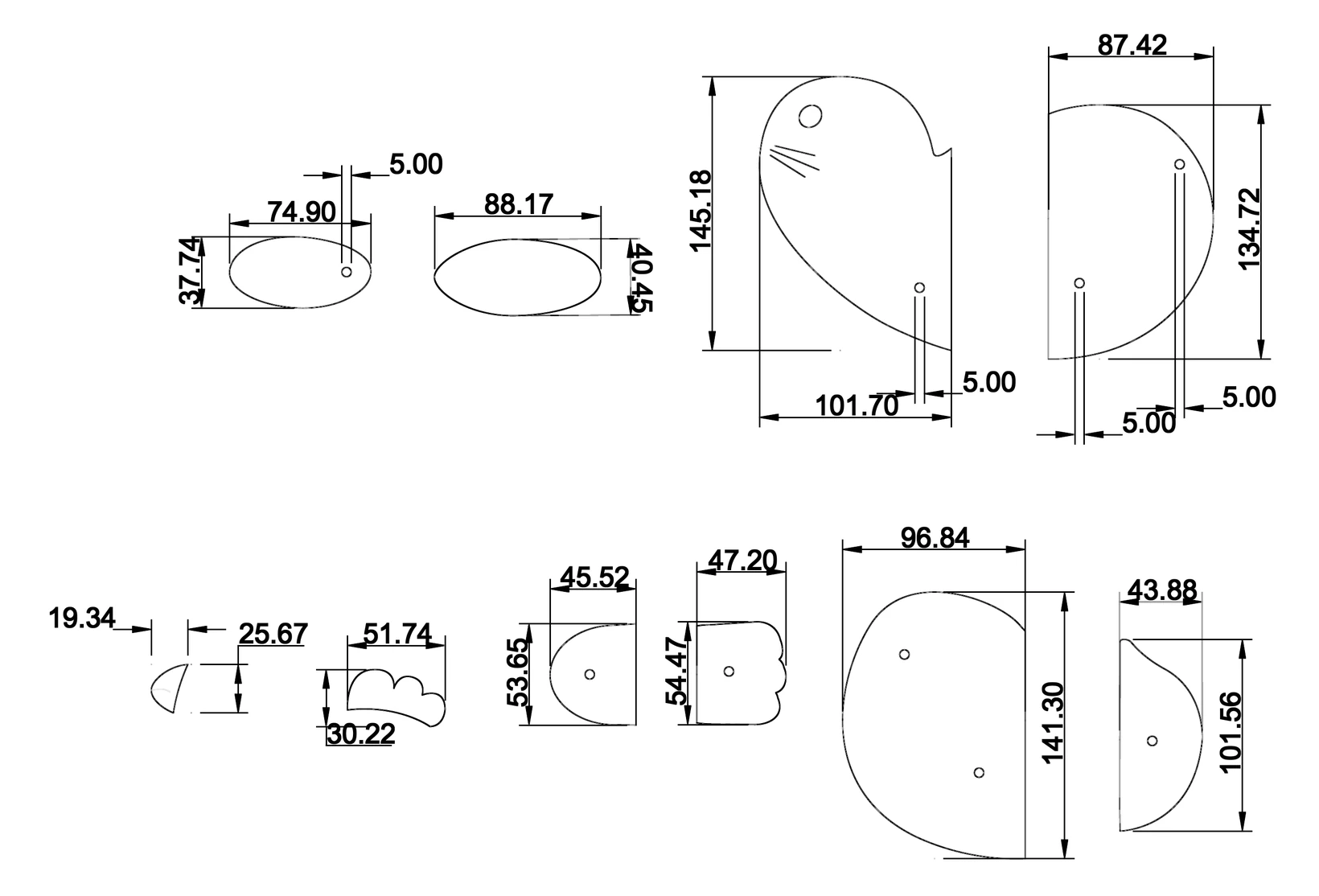
A CAD drawing also gives every dimension, so there is no doubt about the size. This is a real one: wooden animal parts with each width and height in millimetres, and 5 mm slots where the parts slot together.
Checklist for a Clean Cutting File
- Draw at the real size, in millimetres.
- Use vector paths only, with every outline closed.
- Draw each cut line once: two lines on top of each other are cut twice.
- Put cut lines, engraving and print on separate layers.
- Keep protruding parts at least 6 mm wide and openings at least 5 mm, and round sharp corners with a 2 mm radius, so the wood does not break.
- Keep 6 mm between cut lines on a token sheet, and make no token smaller than 10 mm.
- Send the CAD drawing with a STEP file for any 3D shape.
Not sure which file your pieces need? Send what you have and contact us: we will tell you before anything is quoted.
Frequently Asked Questions
What is a CAD file?
What file format do I need for laser cutting?
Can I use an SVG file for custom meeples?
What is the difference between DXF and SVG?
Talk to Our Team About Creating Your Board Game
From design to manufacturing, we can help you with every aspect of turning your game concept into reality.